November 2026 Patch Tuesday: What MSPs and IT Teams Should Patch First
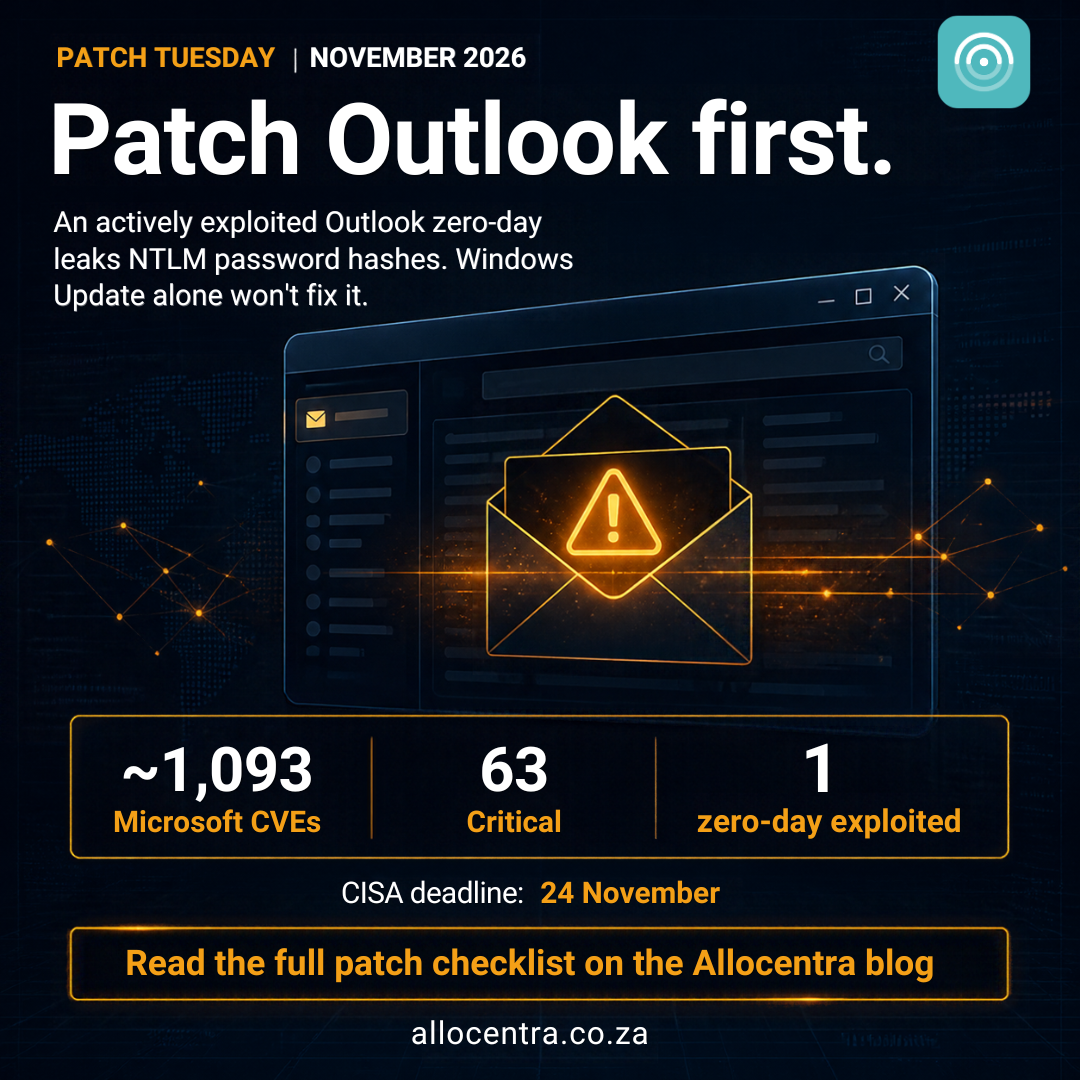
Microsoft released its November 2026 security updates on Tuesday, 10 November (around 20:00 SAST). For the second month running, the release crossed the 1,000-vulnerability mark: about 1,093 Microsoft CVEs, with 63 rated Critical. Some outlets quote totals of 1,235 or more because they also count Edge (Chromium) and Azure Linux fixes.
The number is big, but the plan doesn't have to be. One vulnerability is being actively exploited, a handful are dangerous on servers, and the rest can move through your normal patch rings.
Here's what matters and the order we'd patch in.
The one being exploited: Outlook CVE-2026-124194
This is the only zero-day this month, and it's the top priority.
- What it is: a spoofing flaw in classic Outlook for Microsoft 365 Apps, Office LTSC 2021 and Office LTSC 2024.
- What it does: if a user opens a specially crafted message file, Outlook silently connects to an attacker's server and leaks the user's NTLMv2 password hash. Attackers can crack that hash offline or relay it to log in to other services as that user.
- Score: CVSS 6.5, rated Moderate. Don't let the low score fool you. Researchers at Zero Day Initiative and Rapid7 both put it at the top of their lists because stolen hashes lead to account takeover.
- Deadline: CISA added it to its Known Exploited Vulnerabilities catalogue with a remediation deadline of 24 November 2026. Microsoft credited the discovery to a researcher working with Anthropic's Claude, a sign of how much AI-assisted research is now driving these record patch volumes.
The trap: Windows Update won't fix this one
This fix ships through Office updates, not the Windows cumulative update. A device can show as fully patched in your Windows compliance report and still be vulnerable.
Check Office build numbers separately:
| Product | Fixed build (or later) |
|---|---|
| Office LTSC 2021 | 16.0.14334.21048 |
| Office LTSC 2024 | 16.0.17932.21140 |
| Microsoft 365 Apps | Latest build on your update channel |
While you roll it out, block outbound SMB (TCP 445) to the internet at the firewall and make sure SMB and LDAP signing are enforced. Both make a stolen hash much harder to use.
The server bugs that come next
None of these are under attack yet, but they hit your most valuable systems and need no user interaction.
- Windows LDAP, CVE-2026-119958 (CVSS 9.8): remote code execution without authentication. This one is about domain controllers.
- Windows Search via Exchange, CVE-2026-116928 (CVSS 9.8): an attacker can send an email to an Exchange server and get code running when the server indexes the attachment. Nobody has to open anything. It's fixed by the Windows update on the Exchange server, not an Exchange update.
- Exchange Server, CVE-2026-118207 (CVSS 8.8) and Active Directory Domain Services, CVE-2026-118146 (CVSS 8.8): both rated "exploitation more likely" by Microsoft.
- Schannel (TLS), CVE-2026-119952 (CVSS 8.1): a pre-authentication flaw in the component that handles encrypted connections.
- SharePoint Server, CVE-2026-120002 (CVSS 9.9): the highest score this month, for anyone still running SharePoint on-premises. Zero Day Initiative also counted 30 "wormable" bugs, meaning flaws that could spread between machines without anyone clicking. They sit in services such as DNS, DHCP, Message Queuing, IIS and iSCSI. If Message Queuing isn't in use, turn it off and block TCP port 1801.
Updates to look for
| Platform | KB |
|---|---|
| Windows 11 24H2 / 25H2 / 26H2 | KB5132061 |
| Windows 11 23H2 | KB5131087 |
| Windows 10 22H2 (ESU) | KB5131096 |
| Windows Server 2025 | KB5131080 (hotpatch: KB5131077) |
| Windows Server 2022 | KB5131090 |
| Windows Server 2019 | KB5131085 |
| Windows Server 2016 | KB5131291 |
Two changes to test before a broad rollout
1. PowerShell script signing is stricter. Signed scripts with invalid UTF-8 encoding may now fail their signature check. If your RMM or automation runs signed scripts, re-save them as UTF-8 with BOM and re-sign them before the update hits your whole fleet. Otherwise your maintenance scripts may quietly stop running.
2. NTLM signing is now offered by default. Windows clients now ask for signed NTLM connections and log the ones that aren't. Nothing is enforced yet, but watch the audit logs for older NAS devices, printers and line-of-business apps.
There are also some welcome fixes, including the USB audio "Code 10" error, the "error 87" when adding Active Directory printers, and several Remote Desktop issues from October.
Microsoft lists no known issues for the Windows 11 update, but some users report KB5132061 failing at 99% with errors 0x800f0989, 0x80070306 or 0x800f0993. Keep an eye on your pilot group. If you run Exchange on-premises, check that OWA sign-in, send and receive, and mail queues are healthy after patching. This month's update also fixes the Exchange problems introduced in October.
Lifecycle notes for your client list
- Windows 11 23H2 Enterprise and Education: this is the last security update. Move these devices to a newer version now.
- Windows 10: Extended Security Updates have entered year two. Business devices need a year-two ESU licence to keep getting patches.
- Windows 10 Enterprise LTSC 2021: support ends 12 January 2027.
- No December preview update: plan December's Patch Tuesday (8 December) around holiday staffing.
Don't stop at Microsoft
A lot happened outside Redmond this week:
- Google Chrome: an actively exploited zero-day (CVE-2026-125350) is fixed in version 157.0.8103.50. Update Edge too, and force browsers to relaunch, because a downloaded update does nothing until the browser restarts.
- Ivanti Connect Secure: an exploited attack chain is fixed in 25.1.1.3 and 22.8R2.6.
- N-able N-central: a researcher published dozens of alleged flaws with proof-of-concept code, and N-able took its hosted service offline. If you run N-central on-premises, apply hotfix 2026.4 HF2, rotate credentials and review admin accounts.
- Fortinet: critical fixes for FortiManager, FortiAnalyzer and FortiMail.
- SAP: four flaws scored a perfect 10.0 in its November Patch Day.
- Adobe, Apple and Mozilla: routine but important updates for Connect, Experience Manager, iOS 27.2.1 and Firefox 160. Remote access and IT management tools keep turning up on exploited lists. Patch your own tools before your clients'.
Your checklist for this week
Today
-
Patch your own RMM, remote access and VPN tools.
-
Push the Office/Outlook update for CVE-2026-124194, starting with executives, finance and admins.
-
Update Chrome and Edge and force a relaunch.
-
Block outbound SMB to the internet. Next 1 to 3 days
-
Patch domain controllers, one per site first, then confirm replication.
-
Patch Exchange servers (Windows update plus Exchange update) and test mail flow.
-
Patch DNS, DHCP, IIS and other network-facing servers.
-
Patch Fortinet and other edge appliances. By the end of the week
-
Roll the Windows updates to workstations through pilot, then broad rings.
-
Re-sign PowerShell scripts before the broad ring.
-
Patch SharePoint, SQL Server and Hyper-V hosts.
-
Flag Windows 11 23H2 devices for upgrade and confirm Windows 10 ESU licences.
Patch smarter, not just faster
With more than 1,000 fixes a month now normal, no team can treat every patch as urgent. What works is knowing which devices are exposed to the few vulnerabilities that matter, and proving to clients that they're closed.
That's what we're building at Allocentra: patch management made for South African MSPs and IT departments, with a clear view of what's patched, what isn't and what to fix first.
Sources: Microsoft Security Response Center, Zero Day Initiative, Tenable, Rapid7, CISA, BleepingComputer and Krebs on Security. Vulnerability counts differ between sources depending on whether third-party fixes are included. Check Microsoft's Security Update Guide for the latest advisory details.